> ## Documentation Index
> Fetch the complete documentation index at: https://docs.pally.gg/llms.txt
> Use this file to discover all available pages before exploring further.
# Campaigns
> Pally.gg campaigns are where you manage your splits, goals, and various support payment settings.
## Overview
Campaigns are how you manage your splits, goals, and various support payment settings.
Currently, every page is setup with a default campaign.
We're working on allowing multiple campaigns per page and would love to [hear your feedback](https://roadmap.pally.gg/c/9-better-campaigns).
## Invite your team
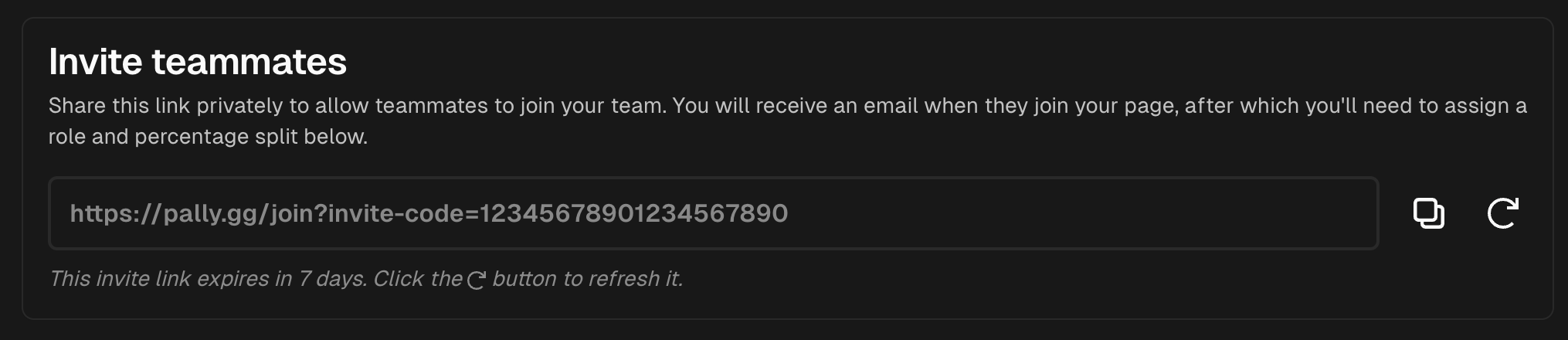 Inviting your team to your campaign is easy! You get a shareable URL that is unique to your campaign
and good for up to 7 days. Your team members just sign up or sign in with the link provided.
You can refresh the link at any time to get a new invite link - note: this changes the invite-code
and the old link will no longer work.
## Splitting support payments
Inviting your team to your campaign is easy! You get a shareable URL that is unique to your campaign
and good for up to 7 days. Your team members just sign up or sign in with the link provided.
You can refresh the link at any time to get a new invite link - note: this changes the invite-code
and the old link will no longer work.
## Splitting support payments
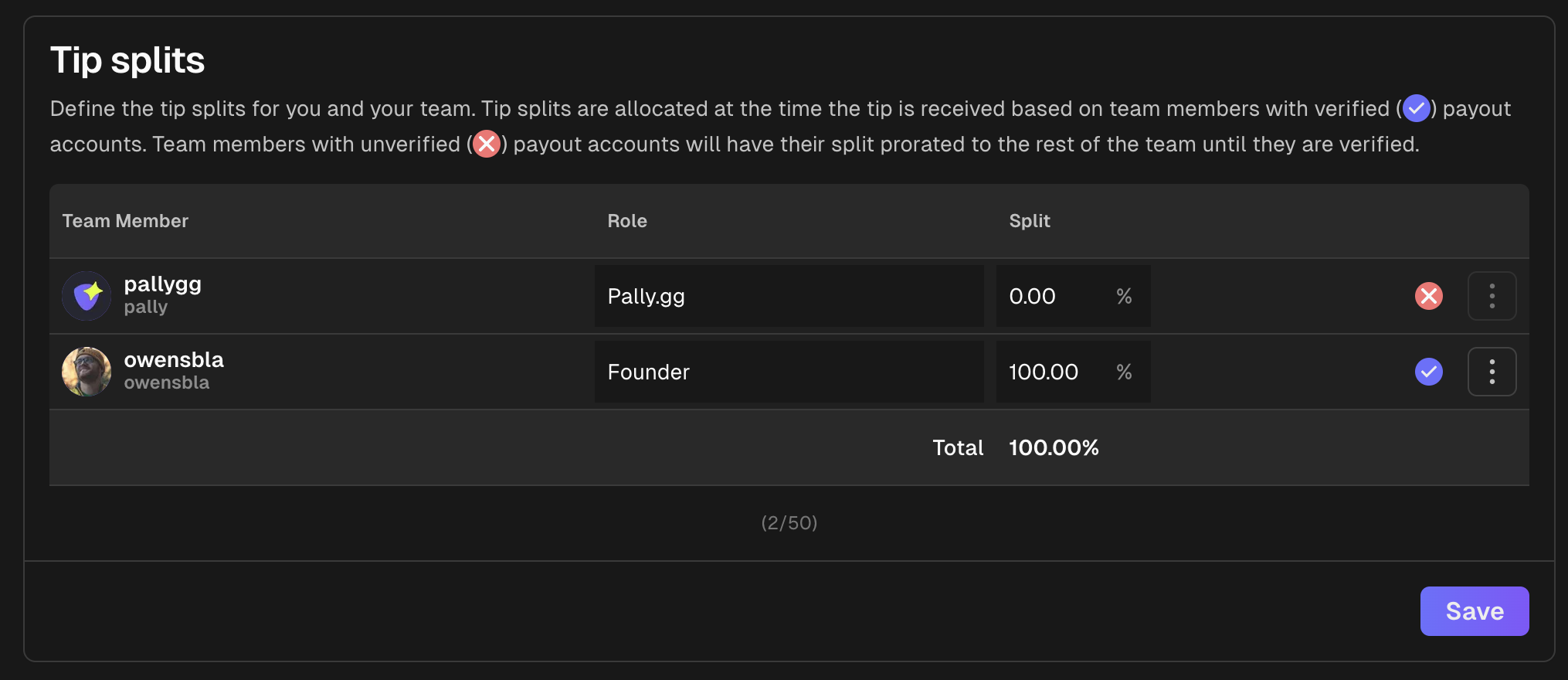 Splits are how you share support payments with your team. You can add up to **50 team members** to your campaign to
share support payments.
### How it works
At the time a support payment is **received**, the payment is allocated to team members with **verified payout accounts** based
on how the percent they are configured to receive.
If there are team members with **unverified payout accounts**, their share is allocated to the rest of the team
based on the rest of the support payment splits.
## Setting up goals
Splits are how you share support payments with your team. You can add up to **50 team members** to your campaign to
share support payments.
### How it works
At the time a support payment is **received**, the payment is allocated to team members with **verified payout accounts** based
on how the percent they are configured to receive.
If there are team members with **unverified payout accounts**, their share is allocated to the rest of the team
based on the rest of the support payment splits.
## Setting up goals
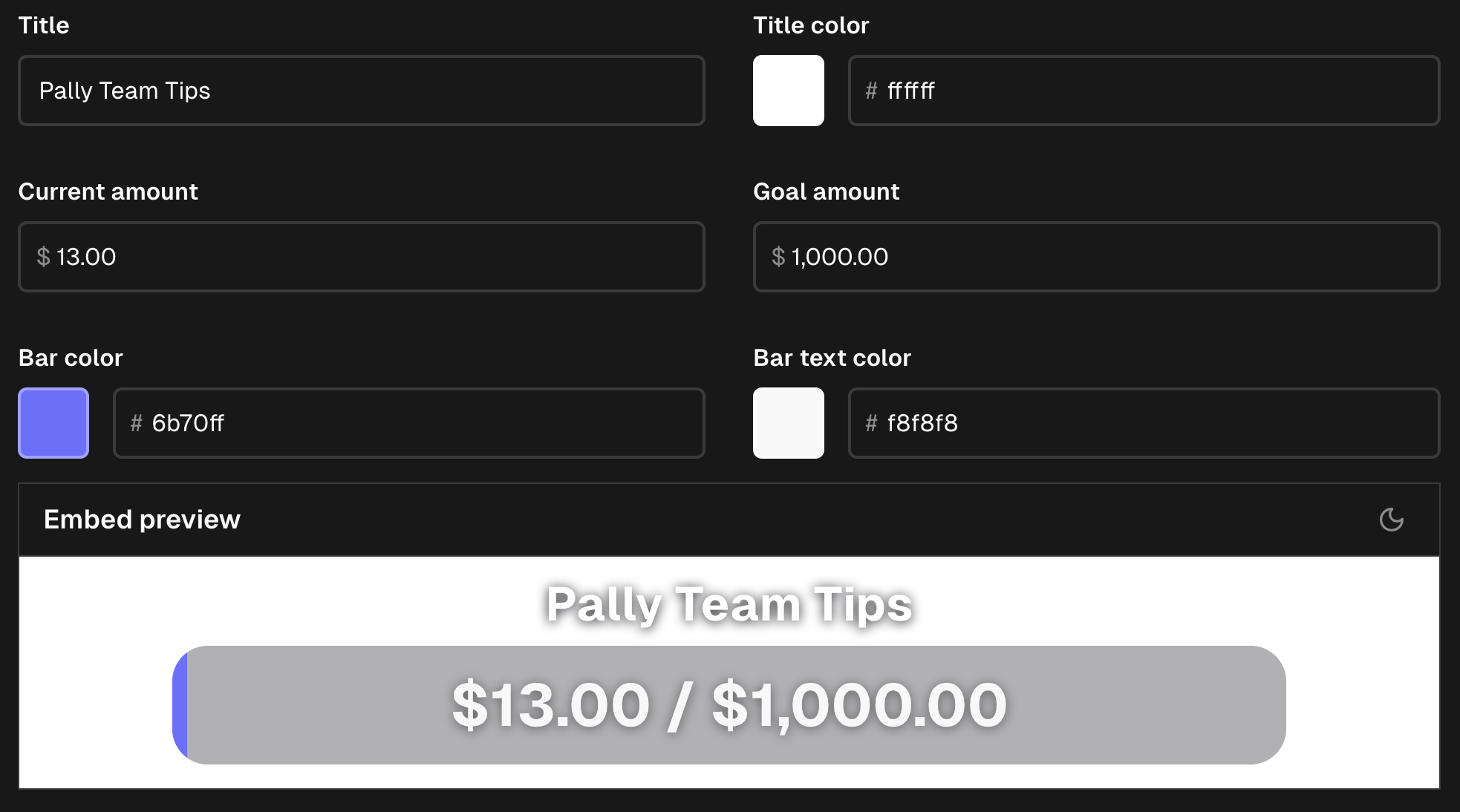 Goals control the progress bar displayed on your page as well as provide an embed link to be used
as an overlay for software like [OBS Studio](https://obsproject.com/).
As you can see above, you can customize the amounts, colors, and labels for your goals.
**More customization options are coming soon!**
## Additional settings
Goals control the progress bar displayed on your page as well as provide an embed link to be used
as an overlay for software like [OBS Studio](https://obsproject.com/).
As you can see above, you can customize the amounts, colors, and labels for your goals.
**More customization options are coming soon!**
## Additional settings
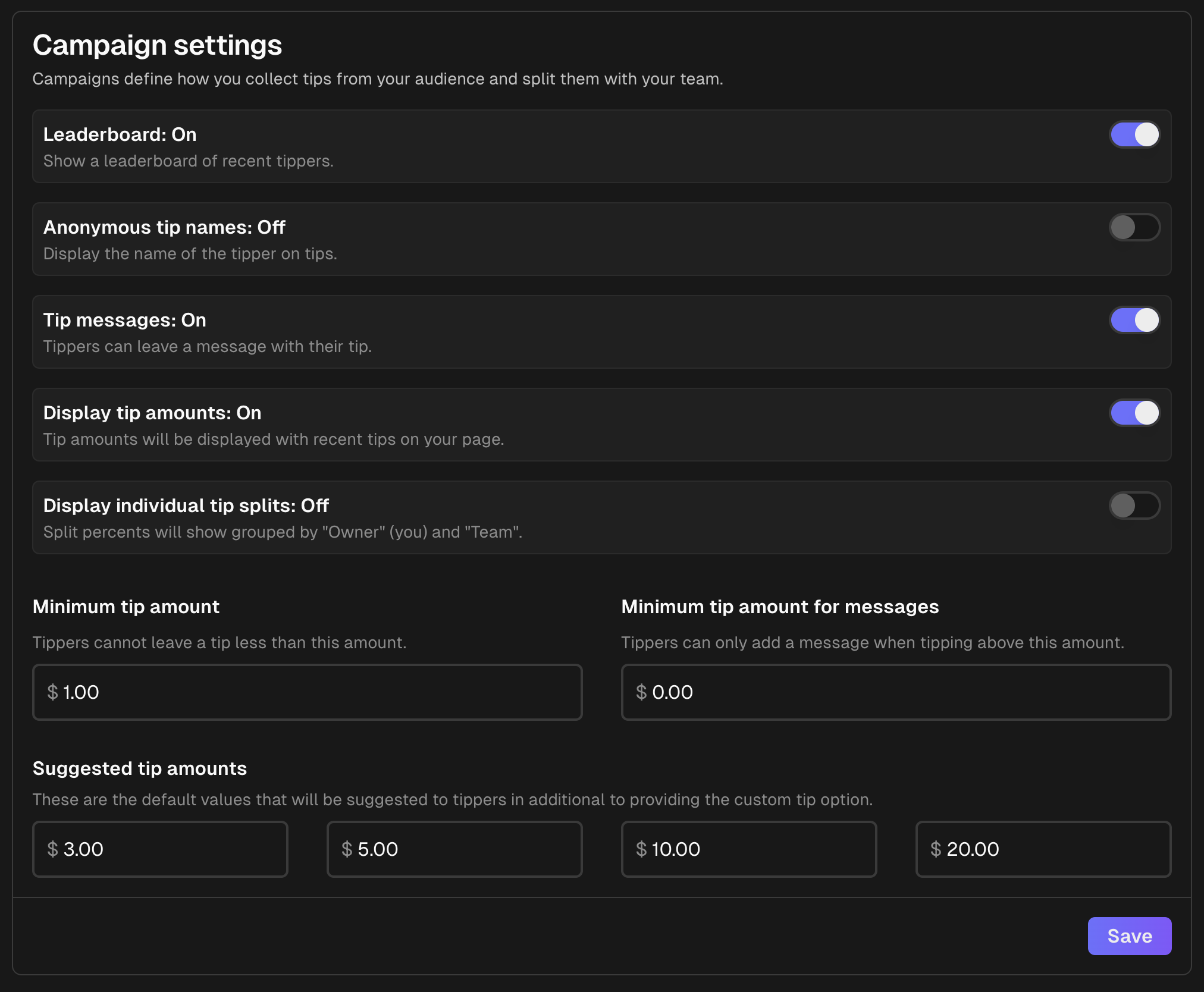 There are several additional configuration options for your campaign to fine-tune your experience.
* **Leaderboard**: Controls whether or not you want to display monthly top contributors on your page.
* **Anonymous supporter names**: Allows you to hide the names of supporters on your page. This can be
usefuly for adding additional moderation control to your page.
* **Supporter messages**: Allows you to disable the ability for supporters to leave messages.
* **Display support amounts**: Allows you to hide the amounts of support payments on your page.
* **Display individual payment splits**: Allows you to show per team member split % or group by "Team" and "Owner".
* **Minimum support amount**: Allows you to set a minimum support amount for your page.
* **Minimum support amount for messages**: Gives an additional control to require a minimum support amount to leave a
message on your page.
* **Suggested support amounts**: Controls the 4 default options for suggested support amounts on your page.
There are several additional configuration options for your campaign to fine-tune your experience.
* **Leaderboard**: Controls whether or not you want to display monthly top contributors on your page.
* **Anonymous supporter names**: Allows you to hide the names of supporters on your page. This can be
usefuly for adding additional moderation control to your page.
* **Supporter messages**: Allows you to disable the ability for supporters to leave messages.
* **Display support amounts**: Allows you to hide the amounts of support payments on your page.
* **Display individual payment splits**: Allows you to show per team member split % or group by "Team" and "Owner".
* **Minimum support amount**: Allows you to set a minimum support amount for your page.
* **Minimum support amount for messages**: Gives an additional control to require a minimum support amount to leave a
message on your page.
* **Suggested support amounts**: Controls the 4 default options for suggested support amounts on your page.