> ## Documentation Index
> Fetch the complete documentation index at: https://docs.pally.gg/llms.txt
> Use this file to discover all available pages before exploring further.
# Support Alert Overlay
> Easily display real-time support alerts on your stream with a customizable overlay.
 ## Setup
You can add the support alert overlay to your stream using the following URL as a browser source in streaming software like OBS Studio, Meld, or XSplit.
```text theme={null}
https://pally.gg/embed/tip-alerts/ALERT_OVERLAY_ID
```
You can find the full URL to your alert overlay in the tip alerts integration section of the page on your [Pally.gg dashboard](https://pally.gg/dashboard).
For best results in OBS Studio and similar software, we recommend setting the
browser source size to 960x600 pixels.
## Configuration
Customize your support alert overlay with these options:
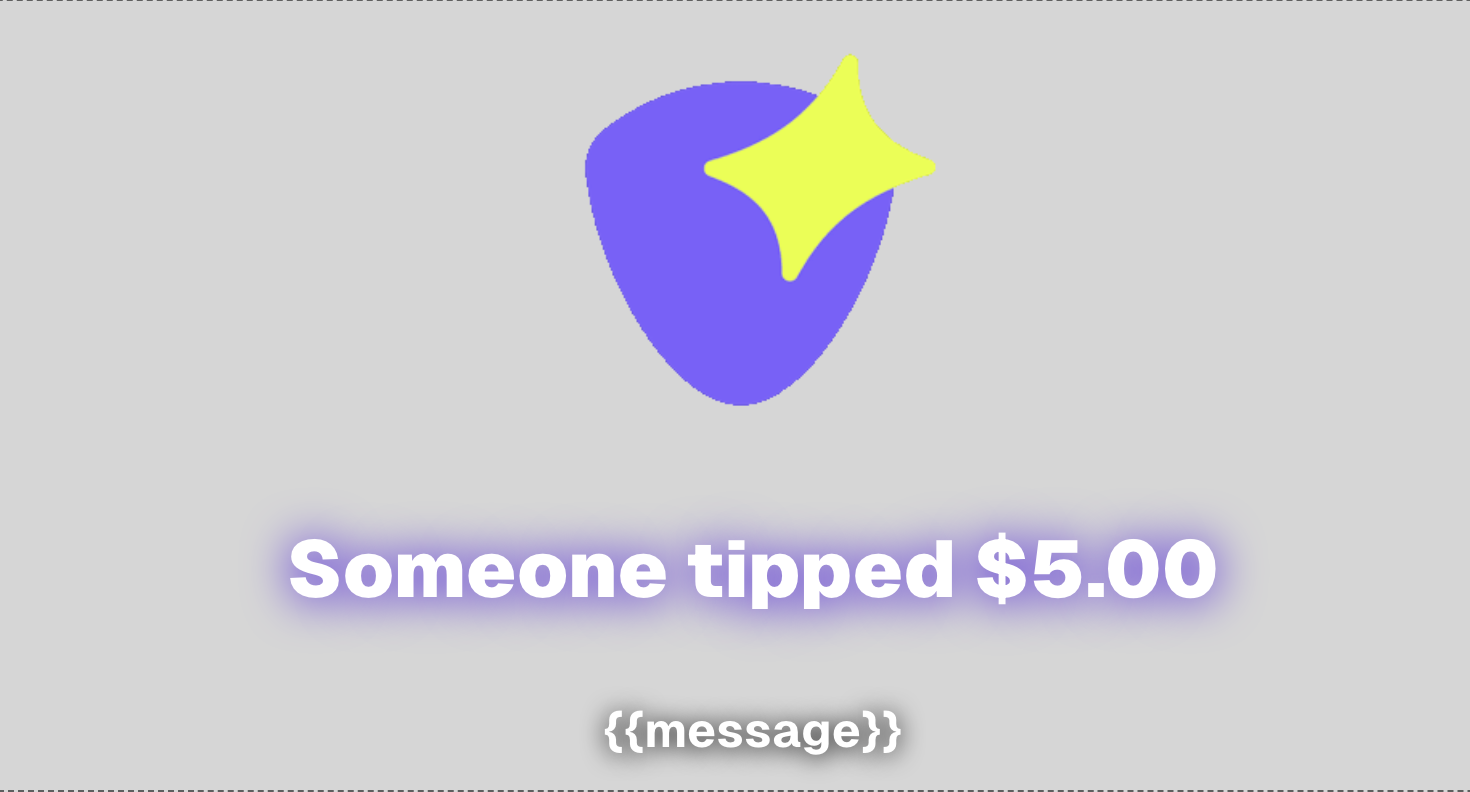
* `title template`: configure the title text shown on the alert overlay using the following variables: `{{name}}`, `{{amount}}`.
* `show support messages`: turn this on/off to show/hide the message sent along with the support payment.
* `title and message color configuration`: Configure the color of the title and message text and their shadow.
* `sound volume`: Set alert sound volume (0-100%).
* `custom sound`: Set a custom sound to play when an alert is triggered (mp3 or wav up to 1MB).
* `display image`: Set whether an image should be shown with the overlay.
* `custom image`: Set a custom image to be shown with the overlay (jpeg, png, or gif up to 5MB).
## Usage in OBS
1. In OBS, add a new Browser Source.
2. Kepp "Local file" un-checked and paste the URL you got from your page dashboard.
3. Set width to 960 and height to 600
4. Click OK to save
## Troubleshooting
The support alert overlay requires an active internet connection to receive
real-time updates. Make sure your streaming PC has a stable connection.
* If outdated settings (image, sound, etc.) are showing, make sure to refresh the page/source to load the latest changes.
* Check that your streaming software has internet access
* Verify the URL is correct
If you are still facing issues, please reach out to [Pally's support team](mailto:support@pally.gg).
## Advanced Integration Options
For advanced integration options, check out our [Advanced Documentation](/advanced).
## Setup
You can add the support alert overlay to your stream using the following URL as a browser source in streaming software like OBS Studio, Meld, or XSplit.
```text theme={null}
https://pally.gg/embed/tip-alerts/ALERT_OVERLAY_ID
```
You can find the full URL to your alert overlay in the tip alerts integration section of the page on your [Pally.gg dashboard](https://pally.gg/dashboard).
For best results in OBS Studio and similar software, we recommend setting the
browser source size to 960x600 pixels.
## Configuration
Customize your support alert overlay with these options:
* `title template`: configure the title text shown on the alert overlay using the following variables: `{{name}}`, `{{amount}}`.
* `show support messages`: turn this on/off to show/hide the message sent along with the support payment.
* `title and message color configuration`: Configure the color of the title and message text and their shadow.
* `sound volume`: Set alert sound volume (0-100%).
* `custom sound`: Set a custom sound to play when an alert is triggered (mp3 or wav up to 1MB).
* `display image`: Set whether an image should be shown with the overlay.
* `custom image`: Set a custom image to be shown with the overlay (jpeg, png, or gif up to 5MB).
## Usage in OBS
1. In OBS, add a new Browser Source.
2. Kepp "Local file" un-checked and paste the URL you got from your page dashboard.
3. Set width to 960 and height to 600
4. Click OK to save
## Troubleshooting
The support alert overlay requires an active internet connection to receive
real-time updates. Make sure your streaming PC has a stable connection.
* If outdated settings (image, sound, etc.) are showing, make sure to refresh the page/source to load the latest changes.
* Check that your streaming software has internet access
* Verify the URL is correct
If you are still facing issues, please reach out to [Pally's support team](mailto:support@pally.gg).
## Advanced Integration Options
For advanced integration options, check out our [Advanced Documentation](/advanced).