> ## Documentation Index
> Fetch the complete documentation index at: https://docs.pally.gg/llms.txt
> Use this file to discover all available pages before exploring further.
# Activity Feed
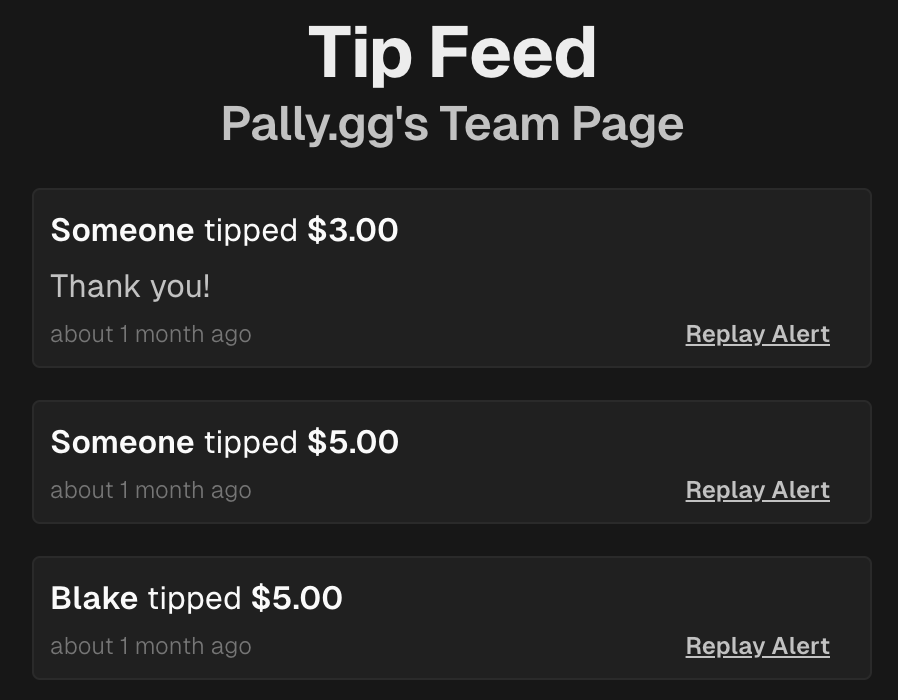
> Every Pally.gg page has a real-time activity feed of support payments that can be accessed by team members.
 ## Access
Pages must be published and you must be a team member to access the activity feed. You can then access your page's activity feed by going to:
```text theme={null}
https://pally.gg/embed/activity-feed/PAGE_SLUG
```
The activity feed is an authenticated page and requires you to be signed in to view.
## Usage
The activity feed is commonly embedded in software like [OBS Studio](https://obsproject.com/) to for quick access while streaming. You can also just keep it open in a browser window.
Because the activity feed is an authenticated page, you need to sign in when using a Browser Source in OBS. You can do this by right clicking the browser source and choosing "Interact".
### Real-time Updates
The activity feed updates in real-time as support payments are received.
### Replay Support Alerts
You or your team can replay support alerts by clicking the "Replay Alert" button on the support event.
This will re-broadcast the support payment to all notification channels, including: Support Alert Overlays, Twitch (if connected), and all [WebSockets](/developers/websockets#campaigntip-notify) connected to the correct channel.
## Access
Pages must be published and you must be a team member to access the activity feed. You can then access your page's activity feed by going to:
```text theme={null}
https://pally.gg/embed/activity-feed/PAGE_SLUG
```
The activity feed is an authenticated page and requires you to be signed in to view.
## Usage
The activity feed is commonly embedded in software like [OBS Studio](https://obsproject.com/) to for quick access while streaming. You can also just keep it open in a browser window.
Because the activity feed is an authenticated page, you need to sign in when using a Browser Source in OBS. You can do this by right clicking the browser source and choosing "Interact".
### Real-time Updates
The activity feed updates in real-time as support payments are received.
### Replay Support Alerts
You or your team can replay support alerts by clicking the "Replay Alert" button on the support event.
This will re-broadcast the support payment to all notification channels, including: Support Alert Overlays, Twitch (if connected), and all [WebSockets](/developers/websockets#campaigntip-notify) connected to the correct channel.